Skip to content

Instantly share code, notes, and snippets.

View KiyonoKara's full-sized avatar
🍁

KiyonoKara

🍁
View GitHub Profile
@KiyonoKara
KiyonoKara / openssl-digital-envelope-guide.md
Created November 9, 2026 08:17
OpenSSL Digital Envelope Guide

Digital File Envelopes with OpenSSL 3.0

This is a simple guide to digital file envelopes with OpenSSL. Digital envelopes let you send protected information to avoid interceptors from reading it. The file is locked with the receiver's public key and signed by the sender so the receiver knows it came from them.

For some context, AES is fast, but both sides need the same key. RSA solves the concerns about sharing keys, but it's slow and can only encrypt small things. So use both where a random session key encrypts the file with AES, and the receiver's public key encrypts the session key.
@KiyonoKara
KiyonoKara / Installing Scala Packages.md
Last active September 9, 2024 17:22
A guide for installing Scala packages from GitHub's Apache Maven registry.
@KiyonoKara
KiyonoKara / add7_div7.asm
Last active December 6, 2023 20:06
Loading & Using Floats in RISC-V Assembly Example
# RISC-V Assembly example program
# RISC-V Assembly program adds 7.0 to a value if it's less than 7.0, otherwise it divides the value by 7.0
# Created: 2023-12-06
.data
# value1 = 35.0
value1: .float 35.0
seven: .float 7.0
# result = 0.0
result: .float 0.0
@KiyonoKara
KiyonoKara / Publish Scala Packages.md
Last active July 28, 2024 13:59
A guide for publishing Scala packages to GitHub's Apache Maven registry.

Publishing Scala Packages to the GitHub Package Registry

Steps

  1. Configure your package naming and organization (generally optional).
   org  
    ⤷ name
       ⤷ package
 
@KiyonoKara
KiyonoKara / ts-node-webstorm-guide.md
Last active January 11, 2026 05:16
A guide on using TypeScript with WebStorm

ts-node WebStorm Guide

This is a simple guide to set up TypeScript in WebStorm. You don't need to have Node.js installed on your system if your IDE has an interpreter. NVM is also recommended if you'd like to stay up to date with all versions (if you'd like to manage all your versions).

Steps

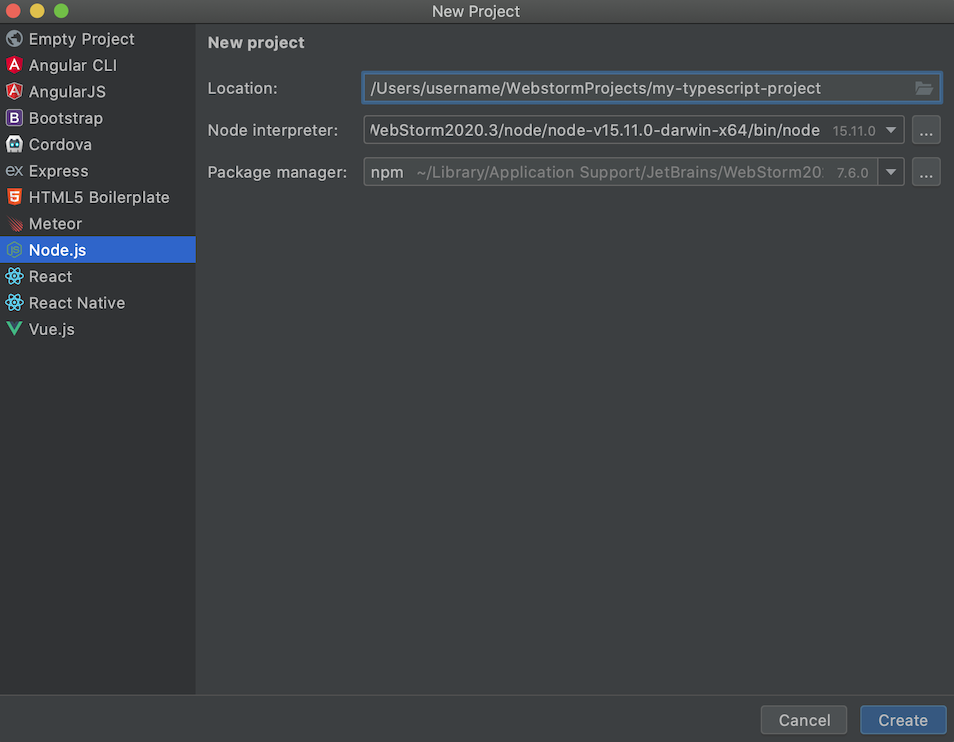
  1. Open your WebStorm IDE and create a new project, you can create either an empty project (and configure it later) or a preconfigured Node.js project.
  2. Press Create.
    1
  3. Open the settings IntelliJ IDEA > Preferences for MacOS (⌘ + ,) or File > Settings for Windows or Linux.
  4. Go to Languages & Frameworks < Node.js and NPM.